Pick and brand your game
Pick a game from the game library, upload your logo, colors and game graphics, set prizes and contact fields. All without code.
In the GameHub you pick a game, add your logo, colors and prizes, go live and see plays and new contacts live, with playing time and reports right next to them. Prefer to sit back? Then we'll handle the setup.
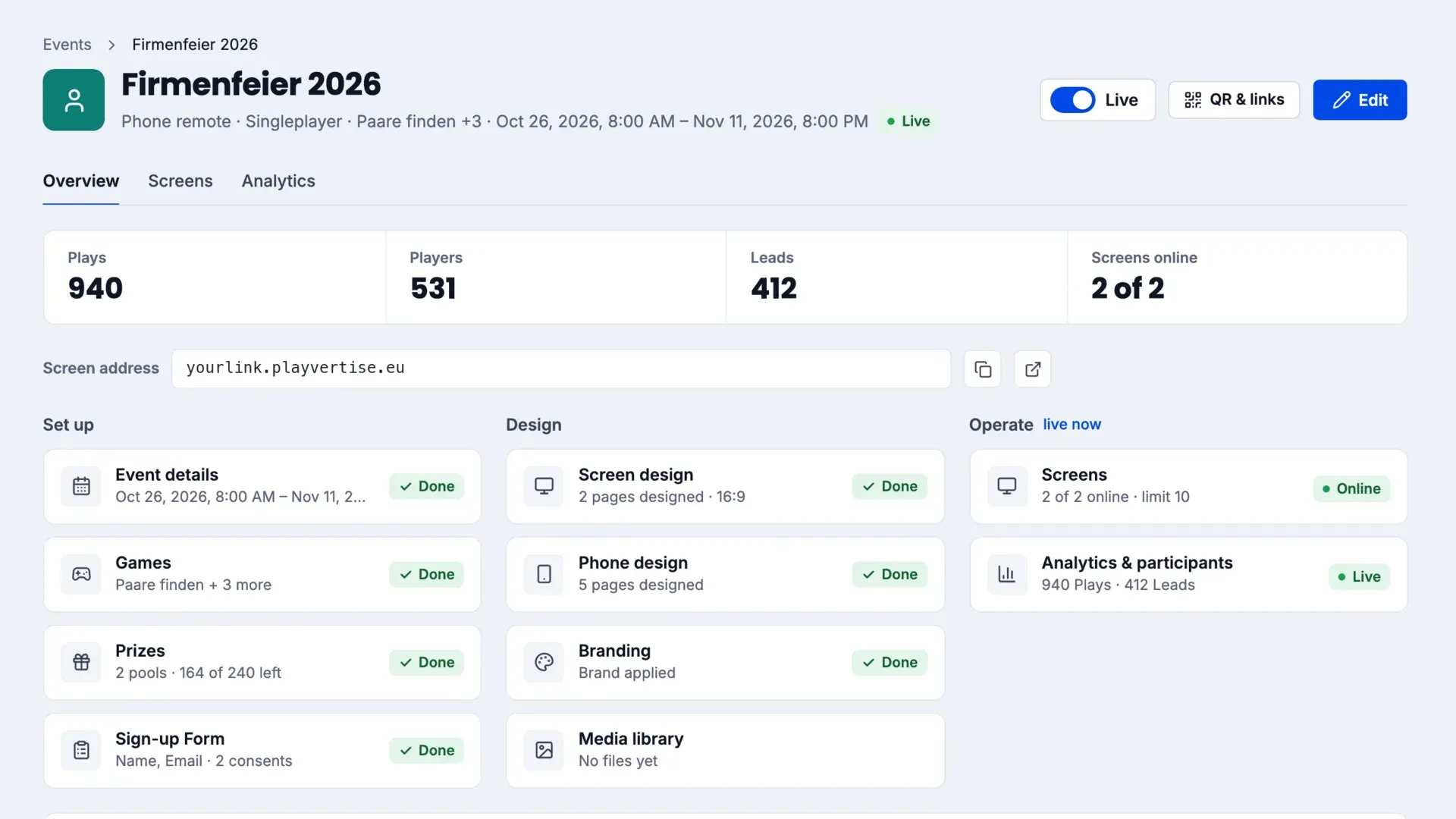
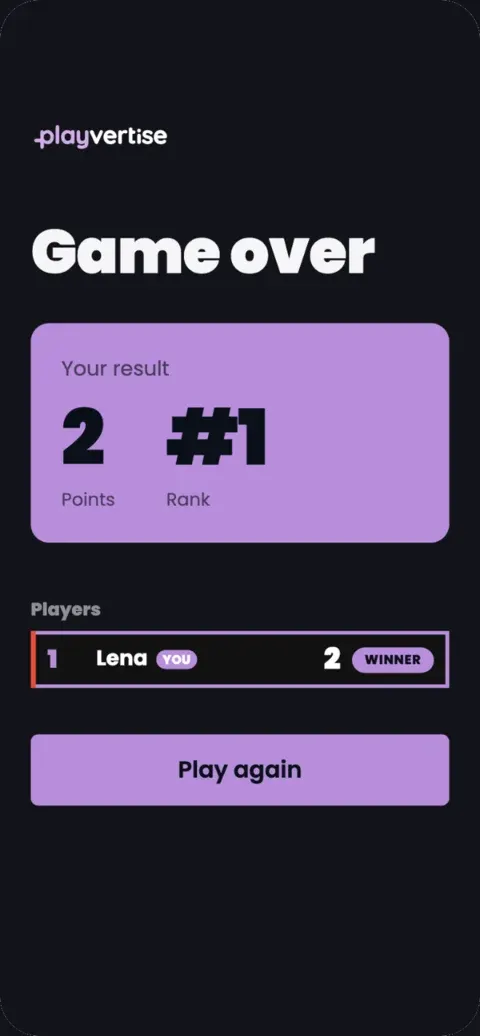
From a chosen game to a running campaign. Do it yourself in the GameHub, or we set it up for you.
Pick a game from the game library, upload your logo, colors and game graphics, set prizes and contact fields. All without code.
Screen Play on the big screen with the phone as the controller, or Web & Social entirely in the phone browser. Publish the event, share the QR code or link.
Follow plays and new contacts live. Scans, dwell time and prize redemptions are in the dashboard.
Logo, colors, copy and prizes. You design the graphics to the game’s data sheet, or we do it for you. Get in touch.
Setup, testing and go-live. After that we support your game for the whole term.
In the GameHub you adjust copy, prizes and settings any time and see plays and contacts live. No code.
From the event hub to the Live Wall: click through the modules exactly as they look in the GameHub.
Every step with its own check mark. You see right away what is missing.
The switch at the top puts the event on every screen and phone.
How many screens are connected and when someone last played.
Pick from 52 games. Your customized games sit right next to them.
By skill, knowledge, luck, channel and number of players.
A copy with your images and texts. The original stays untouched.
Main prize and consolation prize, each with its own quantity.
You see how much is left. Empty pools stop awarding.
Switch prizes on or off. At the booth, staff tap or scan to confirm the hand-over.
Name, email, company, phone or your own questions.
Privacy and newsletter as separate check boxes, every consent documented.
See the form exactly as players will, before it goes live.
Drag title, image, logo, QR code or video onto the canvas.
16:9, 9:16 or a custom size for your screen.
The way in is part of the design, next to the leaderboard.
From sign-up through the queue to the result.
A dedicated AI tab right next to blocks and outline.
Players see their place until it is their turn on the screen.
Each screen with its own name and location.
Connected, last seen, plays per screen.
Each screen gets its own link for the display device.
Opens, registrations, played, leads, each step with its rate.
The GameHub recognizes devices through a daily changing hash.
Website, printed QR or screen, plus every UTM campaign.
Accept new contributions or pause intake in one click.
How many AI images the event has created and how many your licence has left.
Contributions in review show photo and name, and you approve them.
Guests send a photo or a short text via QR code, and the photo appears live on the wall with your brand overlay or as an AI motif. You design it in the drag-and-drop designer, control it in the live console and follow every step in the report, from the opened QR code to the post on the wall.
One platform, different goals: a prize game at the trade fair stand, a product quiz in retail or a newsletter campaign.
From flyer to game, from business card to lead with consent.
Without playvertise
With playvertise
Without playvertise
Flyers and a prize-draw box
With playvertise
A game on screen, entry by QR code
Without playvertise
Typing up business cards
With playvertise
Leads with consent, ready to export
Without playvertise
Gut feeling after the campaign
With playvertise
Plays, playing time and leads in the dashboard
Without playvertise
An app download as a hurdle
With playvertise
Scan the QR code, play right away
Without playvertise
Built once, used once
With playvertise
Set up once, reusable for every event
Without playvertise
Renting and setting up hardware
With playvertise
Runs on your screen and in the CMS you already use
Without playvertise
Data stuck in spreadsheets
With playvertise
Leads straight into your CRM with the add-on
Other gamification software compared: the 5 best gamification tools of 2026
No app for players, data in the EU, contacts only with consent. Here is how that looks in the GameHub.
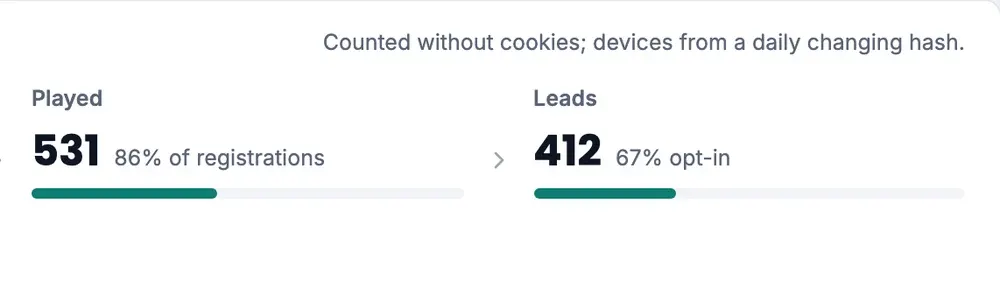
The GameHub recognizes devices through a daily changing hash instead of cookies.

Case report as PDF for management, all data as Excel, events side by side.

Invite colleagues, assign roles, sign in with a second factor.

When you permanently delete participant data, you get a deletion certificate.
Every game can be extended with add-ons: leaderboard, automated email, voucher codes, CRM integration, API export and website embed. Booked one-time, with prices on the pricing page.
Leaderboard on the screen or, with Web & Social, on the end page, depending on the game
Incl. 5,000 emails, more capacity available.
Redeemable codes for promotions and prizes
Leads passed automatically to your CRM
Pull leads and game data via API into your own systems
On top of link and QR code: embed the game right on your website
Coming soon: display ads. Your branded game as a playable ad, played right inside the banner.
In a 20-minute demo we show you how to set up your first gamification project in the GameHub. Book a slot right away or send us your request.
Prefer to browse first? View pricing · FAQ